
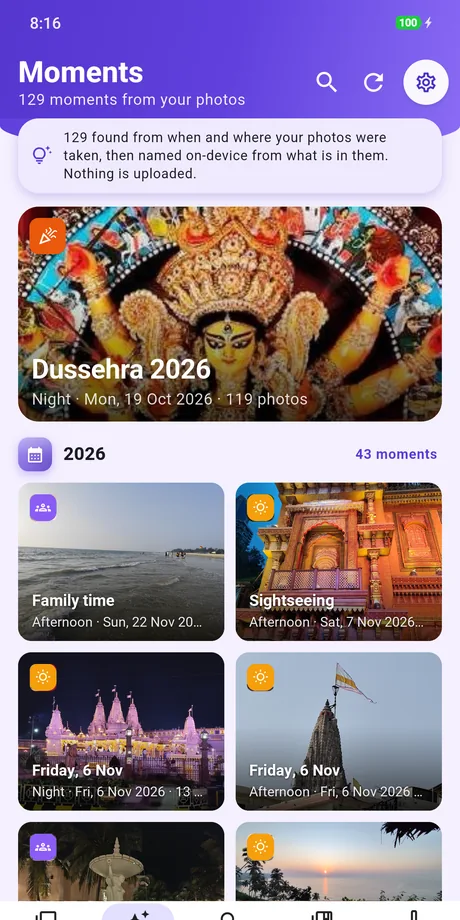
Moments, named for you
Trips, festivals, birthdays and days out are found from when and where photos were taken, then titled from what is actually in them. Your year, already written.
Named on your phone
Your gallery already knows what is in it — it just never told you. PixOrg reads every photo on your phone: the scene, the faces, even the words inside. Then you search the way you talk, and see how many gigabytes you can get back. No cloud. No account. Your photos never leave your phone.
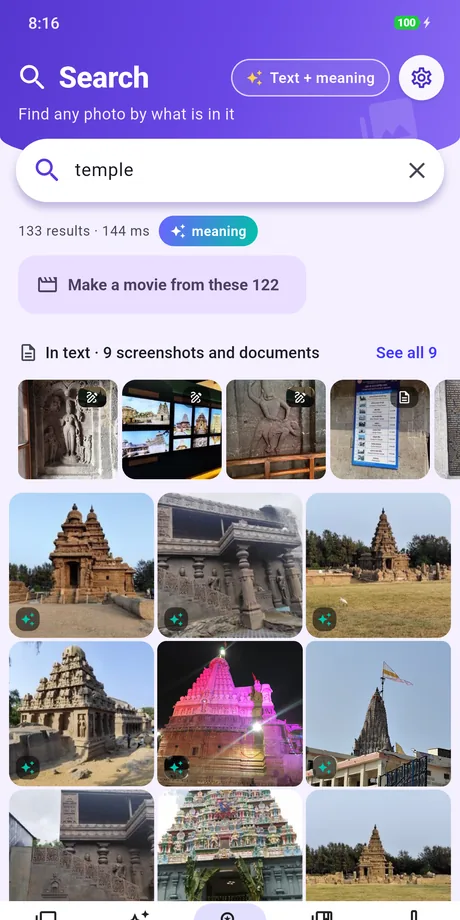
No tags. No albums. No folder archaeology. PixOrg understands what a photo shows — and reads every word printed inside it, so receipts, tickets, signs, menus and screenshots are searchable too. Results land in a fraction of a second, with no internet.
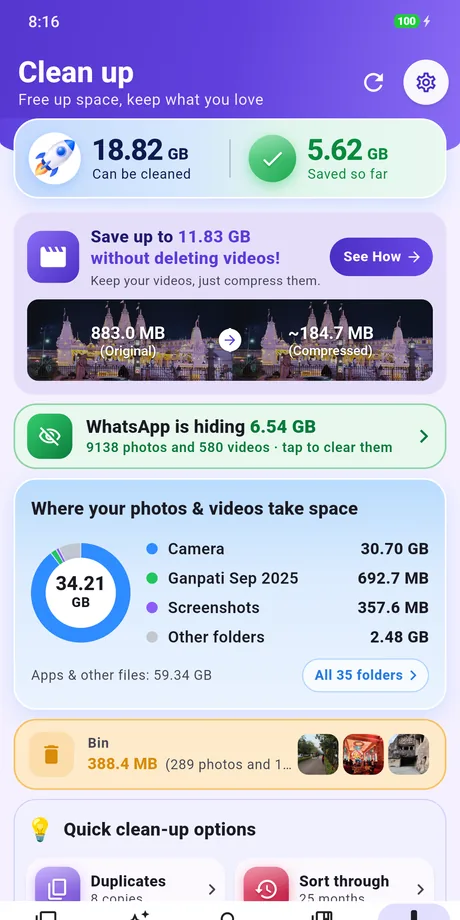
One number for what your phone can get back, and every folder with its size. Duplicates side by side with the best one picked. Old chat photos, large videos, old screenshots, blurry and dark shots, each with its size. Nothing goes until you say so, and photos from your gallery wait in Android's Bin for 30 days.
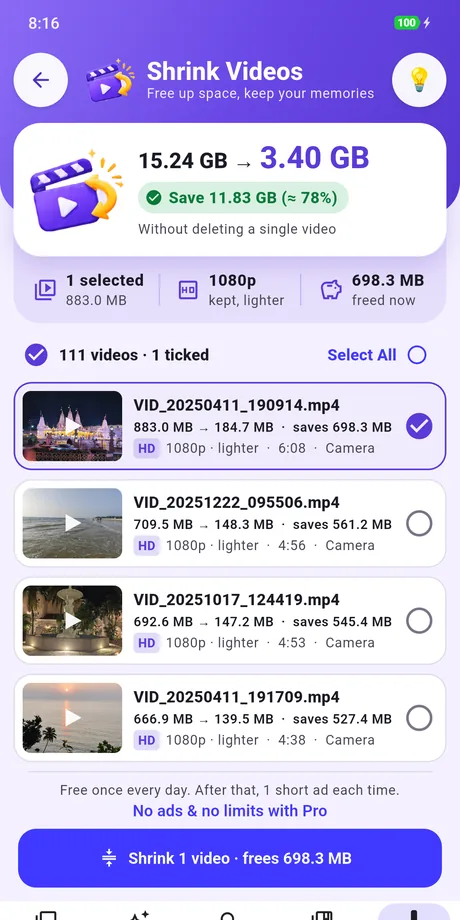
PixOrg makes your big videos smaller on your phone and shows what each one will save. Play ten seconds of the original and of the smaller copy before you decide. Every copy is checked first, its date is kept, and the original waits in the Bin for 30 days, so you can undo.
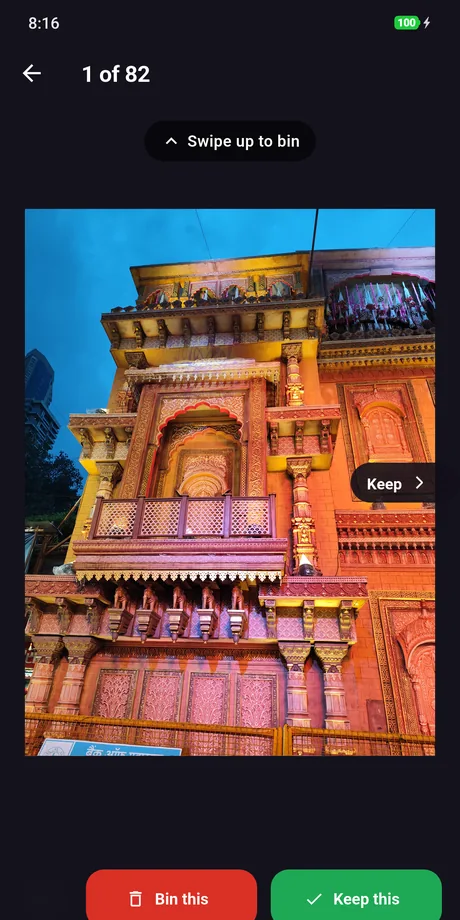
Go through a month or a folder one photo at a time. Swipe left to look back. Nothing is deleted until you confirm.
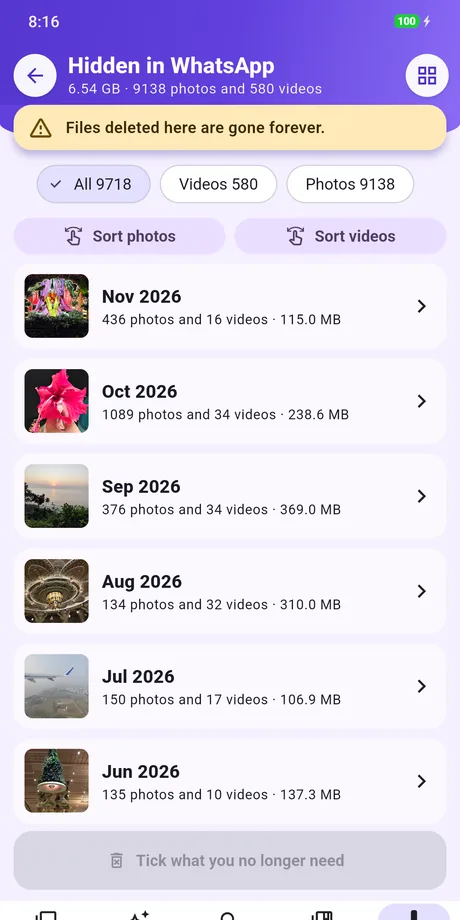
And the chat files your gallery cannot see. A chat app such as WhatsApp can hide its photos and videos from every gallery. Pick that folder once and PixOrg lists them by month, so you can look and clear them. Files there have no Bin, so PixOrg warns you before anything is deleted for good.
All the things you were going to do manually, some day. PixOrg does them while your phone charges.
Trips, festivals, birthdays and days out are found from when and where photos were taken, then titled from what is actually in them. Your year, already written.
OCR on every photo: receipts, bills, signs, tickets, menus and screenshots become full-text searchable — within minutes of installing, before the AI model has even finished downloading.
PixOrg groups faces into people on-device. Name someone once, then search "Maya at the beach" — their photos, year after year, in one tap. No face data ever leaves the phone, and nobody is uploaded to a server to be recognised.
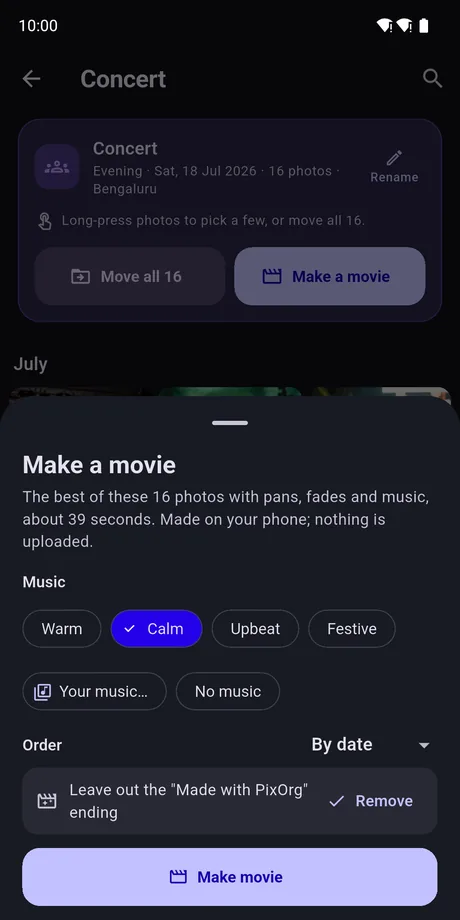
Pick a moment, a person or a search result and PixOrg cuts a short film — 1080p, your own song, your chosen start point, saved straight to your gallery. Free, unlimited, rendered on the phone.
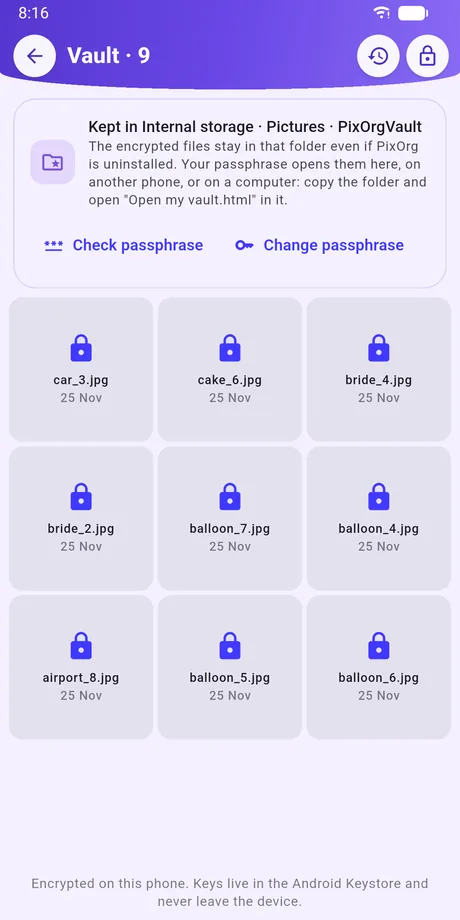
Hidden photos are encrypted with AES-256, not merely renamed. Unlock with your fingerprint; your passphrase opens them on a new phone, or on a computer with a page that sits in the vault folder itself.
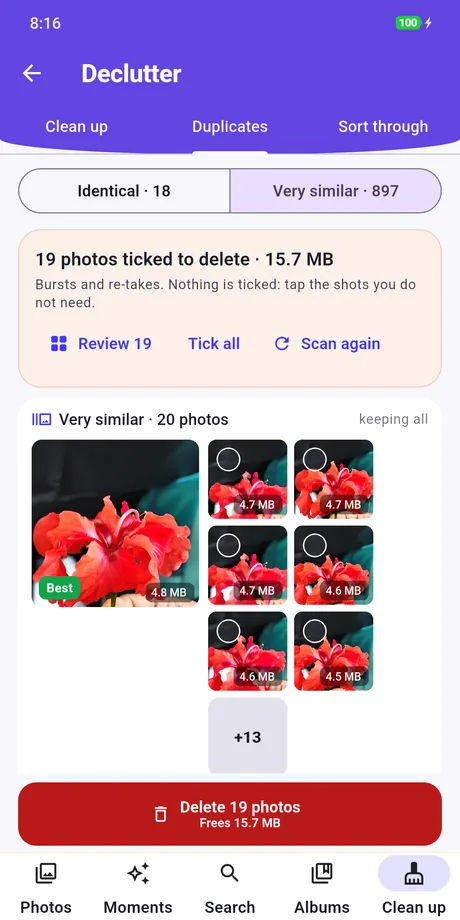
Exact copies and near-identical shots, found by the picture and not the file name. The best one is marked for you, and favourites are never ticked.
Collage layouts that keep your photos whole, a PDF from any selection, and quick resizing — all offline and free.
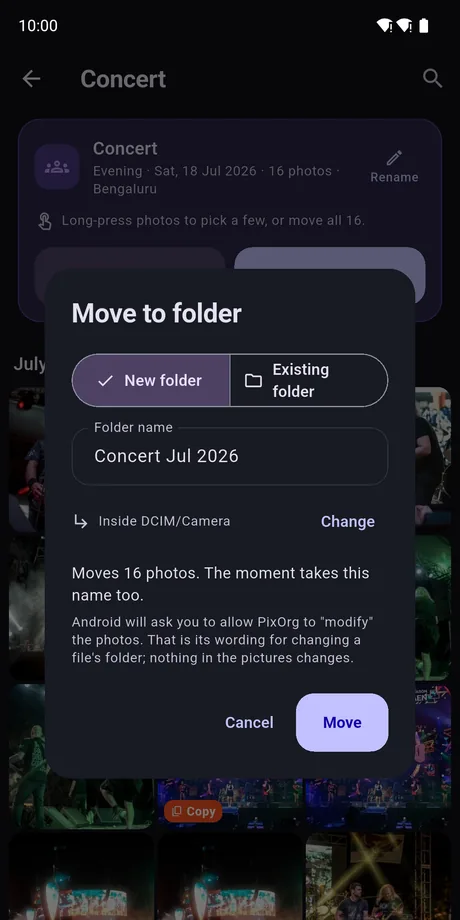
Sort a trip, an event or a whole year into its own folder in a single tap. Photos and videos can go to any folder you choose, and an original is never removed before its copy is checked. Browse a folder by month, play videos inside PixOrg, and let smart albums fill themselves from rules you set once.
Paperwork is spotted and kept apart from your life: receipts with a CSV export, whiteboards, documents and screenshots, each in their own place.
A map of where you have been. On this day on your home screen. Ratings and tags written into the photo itself as XMP, so other apps can read them. PixOrg marks the best shot of a burst. A one-file encrypted backup of your whole index. Visual Look Up on anything you point at. Dark mode, obviously.
Give PixOrg access to your photos. That is the entire onboarding. There is no account to create, because there is no server to create it on.
Words inside your photos become searchable within minutes. The AI model follows in the background, newest photos first, pausing for calls and low battery.
Type what you remember — a place, a person, a thing, a sentence on a receipt. PixOrg finds it in a fraction of a second, in airplane mode too.
Not for indexing. Not for faces. Not for "improving our models". The whole AI — the scene understanding, the text reading, the face grouping — runs inside the app, on your processor, in airplane mode if you like. There is no PixOrg server, and there never will be, because there is nothing for it to hold.
photos, faces or OCR text uploaded — ever
accounts, logins or email addresses asked for
analytics SDKs in the app
search, clean up, moments and movies still work
Private, not ad-free — and we would rather say so here. The free version shows Google ads on some pages and a full-screen one between tasks now and then, and asks you to watch a short one before a second batch of videos or a big clean-up on the same day. An ad request carries your advertising ID and your approximate location, as every ad does — never a photo, never a face, never a word read out of your gallery. PixOrg Pro removes every ad. It is all written down in the privacy policy.
Captured on a phone, with personal photos replaced by scenery.
Every photo you have is read, searched and organised without paying. Pro takes away the ads, the daily limits and the waiting.
Really. The search model, the text reader and the face grouper all run on your phone's processor. PixOrg has no server and no account system, so there is nowhere for a photo to go. Once the AI models are on your phone you can search your whole library in airplane mode.
To fetch the AI models from Google Play after installing (about 70 MB, and 39 MB more if you open People). Words inside your photos are searchable within minutes, while that download runs. Ads, the map, purchases and app updates also need a connection; search, Clean up, the vault and movies do not.
PixOrg reads your newest photos first, works in short slices, drops to background priority behind everything else on the phone, pauses while a call is ringing or your battery is low, and stops entirely when you ask it to. On a big library it reads a year at a time and asks before going further back.
They live in the gallery with your photos: they play inside PixOrg, and you can move, favourite, delete and shrink them. The AI models never open them, so videos cost no reading time and no battery.
No. PixOrg makes a smaller copy and checks its length, picture and sound. Only then, after Android asks you, does the original go to the Bin, where it waits for 30 days and you can undo. A smaller copy has less detail than the original, so you can play ten seconds of both first. Videos PixOrg cannot copy fully, such as HDR or slow motion, are left alone and it tells you why.
They are in Search, Albums and Clean up. Photos from chat apps and downloads now stay out of Photos, Moments and People, so those show your own camera's photos. Two switches in Settings, under Library, bring them back.
Really free. Search, Clean up, People, Moments, the vault, movies and shrinking videos all work without paying, with no photo limit. The free version carries Google ads. Each day one batch of up to 10 videos shrinks free, and 150 photos and 15 videos can be cleared from the folders and groups in Clean up; more on the same day starts with a short ad. PixOrg Pro removes the ads and those limits, and adds colour themes.
Android 7.0 and newer, phones and tablets, 64-bit and 32-bit. On older or low-memory devices PixOrg automatically does less background work so it never slows your phone down.
Yes — they are written into the photo file itself as standard XMP, so Lightroom, digiKam and other apps read them. Your index, people and settings also fit in a single encrypted backup file you keep.
Install PixOrg, let it read your gallery once, and get your space back.
No account · No cloud · Works offline · Android 7.0+