On-device AI · Android 7.0+ · Nothing uploaded

Find any photo.
Just describe it.

Your gallery already knows what is in it — it just never told you. PixOrg reads every photo on your phone: the scene, the faces, even the words inside. Then you search the way you talk. No cloud. No account. Nothing ever leaves your device.

Every feature free No sign-up Works offline
Runs on your phone
53 ms
0 bytes uploaded
Natural-language search

Type it like you'd say it.

No tags. No albums. No folder archaeology. PixOrg understands what a photo shows — and reads every word printed inside it, so receipts, tickets, signs, menus and screenshots are searchable too. Results land in milliseconds, offline, on a phone that has asked nobody's permission.

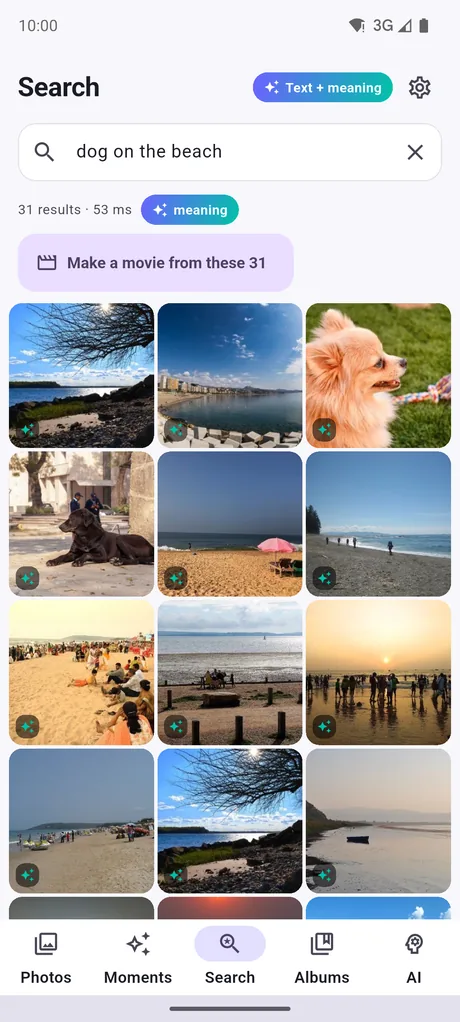
dog on the beach birthday cake with candles receipts from March Amma at the temple sunset in 2025 whiteboard notes red saree boarding pass
PixOrg search results for the words dog on the beach
Everything in one gallery

A gallery that actually organises itself

All the things you were going to do manually, some day. PixOrg does them while your phone charges.

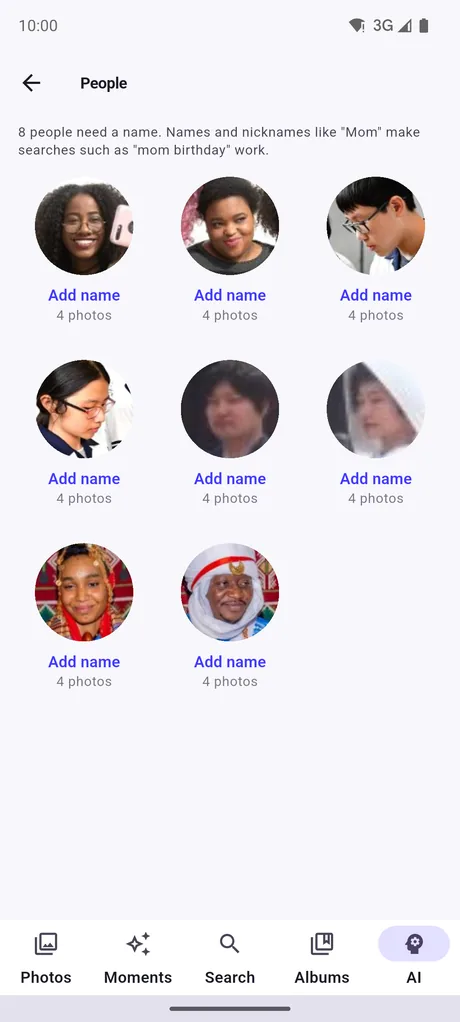
People, found by face

PixOrg groups faces into people on-device. Name someone once, then search "Maya at the beach" — every photo of them, from every folder, in one tap. No face data ever leaves the phone, and nobody is uploaded to a server to be recognised.

YuNet + SFace · on-device clustering
The People page grouping faces into named people

Reads the words inside

OCR on every photo: receipts, bills, signs, tickets, menus and screenshots become full-text searchable — within minutes of installing, before the AI model has even finished downloading.

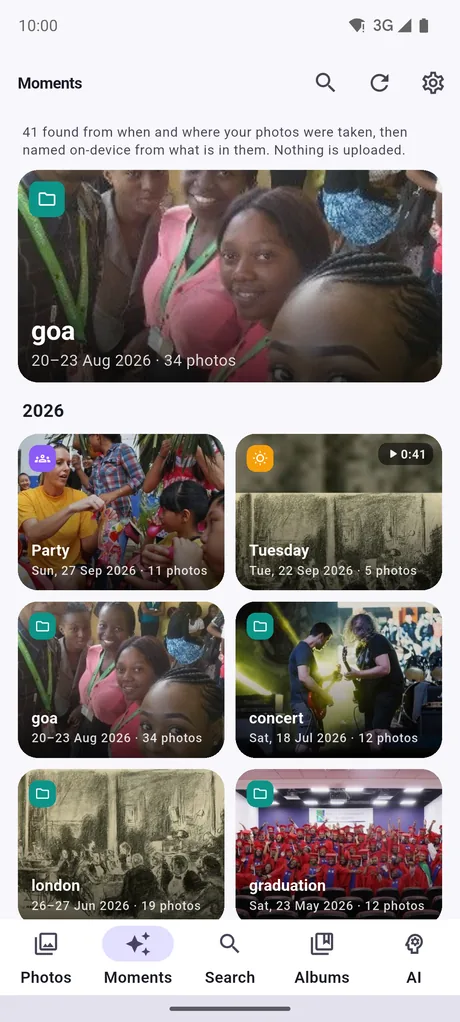
Moments, named for you

Trips, festivals, birthdays and days out are found from when and where photos were taken, then titled from what is actually in them. Your year, already written.

Movies with your own music

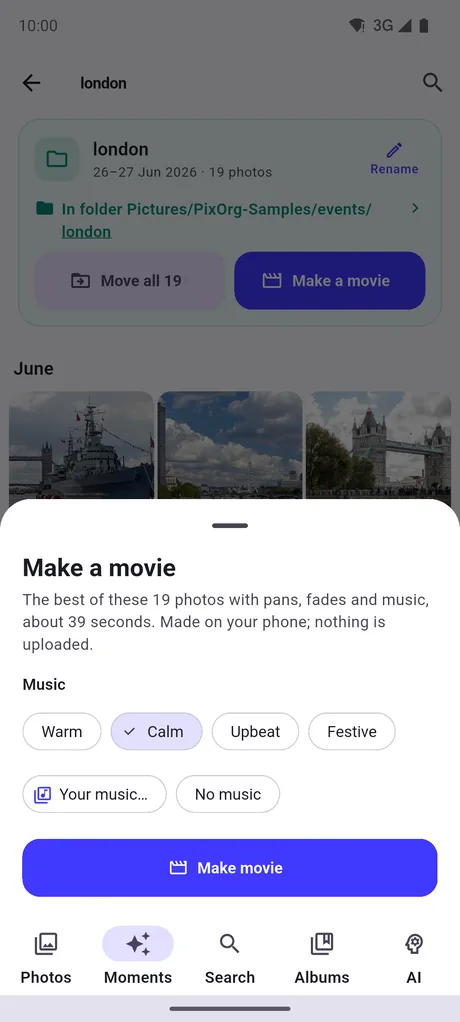
Pick a moment, a person or a search result and PixOrg cuts a short film — 1080p, your own song, your chosen start point, saved straight to your gallery. Free, unlimited, rendered on the phone.

1080×1920 · H.264 · any track on your phone
Making a movie from a moment with a chosen song

A real vault

Hidden photos are encrypted with AES-256, not merely renamed. Unlock with your fingerprint; recover with your passphrase. Even uninstalling PixOrg cannot lose them.

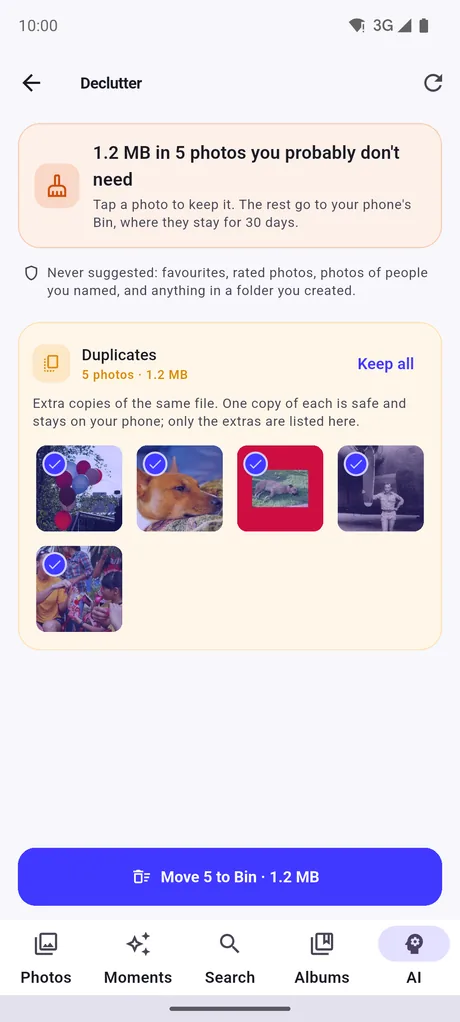
Declutter & duplicates

Exact copies, near-identical bursts, blurry shots, expired screenshots, forwarded chat media, giant videos — grouped by how many gigabytes they would give you back.

Collages, PDFs, resize

Eleven layouts that never crop your photos, a PDF from any selection, and quick resizing — all offline, all free, nothing watermarked.

One Camera folder into real folders

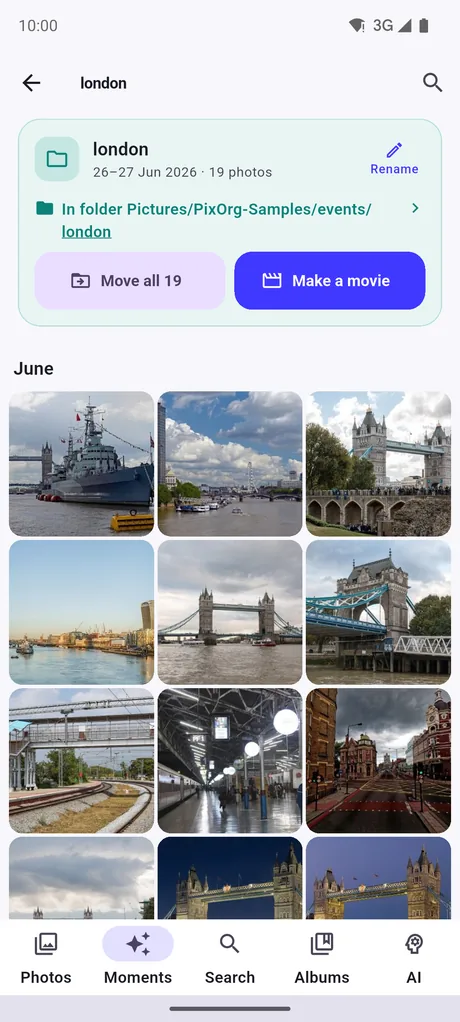
Sort a trip, an event or a whole year into its own folder in a single tap — files really move on disk, with a verified copy before anything is deleted, and a journal that can resume if your phone sleeps midway. Smart albums fill themselves from rules you set once.

Safe moves · resumable · nothing lost
A folder of London photos with a Move all button

Receipts & whiteboards

Paperwork is spotted and kept apart from your life: receipts with a CSV export, whiteboards, documents and screenshots, each in their own place.

And the small things you will keep noticing

A map of where you have been. On this day on your home screen. Ratings and tags written into the photo itself as XMP, so other apps can read them. Star a burst and PixOrg marks the best shot. A one-file encrypted backup of your whole index. Visual Look Up on anything you point at. Dark mode, obviously.

Free. All of it. No feature is locked behind an ad.
The Moments tab showing named trips and days out
Three minutes to useful

No setup. No account. No waiting around.

Install and open

Give PixOrg access to your photos. That is the entire onboarding. There is no account to create, because there is no server to create it on.

It reads your photos, on your phone

Words inside your photos become searchable within minutes. The AI model follows in the background, newest photos first, pausing for calls and low battery.

Just ask

Type what you remember — a place, a person, a thing, a sentence on a receipt. PixOrg finds it in milliseconds, in airplane mode, forever.

The part other galleries skip

Your photos never leave your phone.

Not for indexing. Not for faces. Not for "improving our models". The whole AI — the scene understanding, the text reading, the face grouping — runs inside the app, on your processor, in airplane mode if you like. There is no PixOrg server, and there never will be, because there is nothing for it to hold.

0

photos, faces or OCR text uploaded — ever

0

accounts, logins or email addresses asked for

0

analytics or tracking SDKs in the app

Airplane
mode

search, people and moments all still work

Private, not ad-free — and we would rather say so here. The free version shows small Google ads under your grids and an occasional full-screen one between tasks. An ad request carries your advertising ID and your approximate location, as every ad does — never a photo, never a face, never a word read out of your gallery. PixOrg Pro removes every ad. It is all written down in the privacy policy.

Have a look

Eight screens, no mockups.

Captured from the app as it ships.

Search results for dog on the beach
Search by what's in the photo
Moments tab with named trips
Your year, in moments
People page
Everyone, grouped by face
Folder view with Move all
One Camera folder into real folders
Movie maker
Movies with your own music
Declutter screen
Gigabytes back, in one pass
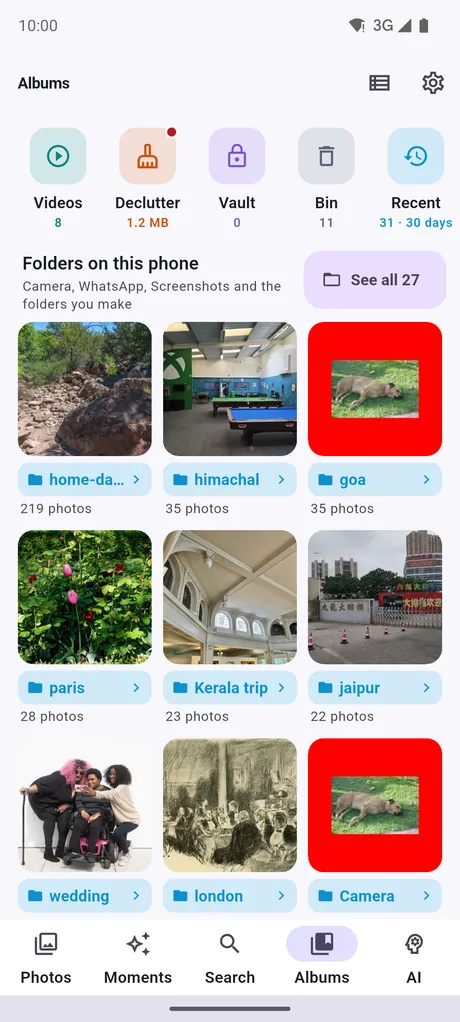
Albums and smart albums
Smart albums with rules
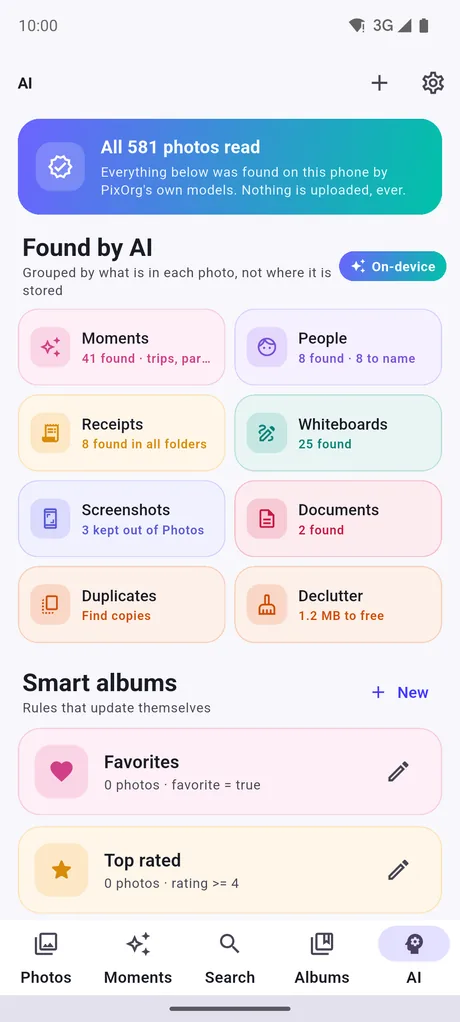
AI index settings
Nothing leaves your phone
Drag to see more
Pricing

Free means all of it.

There is no 1,000-photo limit, no locked feature, no "watch an ad to continue". Pro simply buys the ads away.

Free

₹0 forever
  • Unlimited AI indexing and search
  • People, Moments, Map, Receipts
  • Unlimited movies, collages and PDFs
  • Encrypted vault, backup, Declutter
  • Small Google ads under your grids

PixOrg Pro No ads

₹30 / month
or ₹300 a year, or pay once — Play shows your local price
  • Every ad gone, everywhere in the app
  • Movies without the closing card
  • Same features — you are paying for quiet
  • Billed by Google Play, cancel any time
FAQ

The questions worth asking.

Do my photos really never get uploaded?

Really. The search model, the text reader and the face grouper are all bundled into the app and run on your phone's processor. PixOrg has no server and no account system, so there is nowhere for a photo to go. You can index and search your entire library in airplane mode.

Then why does it need the internet at all?

Once, to fetch the AI model that understands images — it is too large to ship inside the app. The text-reading part works immediately, so words inside your photos are searchable within minutes of installing, while the model is still downloading. Ads also need a connection; everything else does not.

Will it drain my battery indexing thousands of photos?

PixOrg reads your newest photos first, works in short slices, drops to background priority behind everything else on the phone, pauses while a call is ringing or your battery is low, and stops entirely when you ask it to. On a big library it reads a year at a time and asks before going further back.

What happens to my videos?

They live in the gallery with your photos — browse, move, favourite, delete, include them in Declutter. The AI models never open them, so videos cost no indexing time and no battery.

Is it really free, or is this a trial?

Really free. Every feature, with no quota and nothing gated behind watching an ad. The free version carries small Google ads; PixOrg Pro removes them. That is the whole difference.

Which phones does it run on?

Android 7.0 and newer, phones and tablets, 64-bit and 32-bit. On older or low-memory devices PixOrg automatically does less background work so it never slows your phone down.

Can I get my ratings and tags out again?

Yes — they are written into the photo file itself as standard XMP, so Lightroom, digiKam and other apps read them. Your index, people and settings also fit in a single encrypted backup file you keep.

Free on Google Play

Stop scrolling for that one photo.

Install PixOrg, let it read your gallery once, and never hunt again.

No account · No cloud · Works offline · Android 7.0+

PixOrgAI photo gallery · free
Install